> For the complete documentation index, see [llms.txt](https://docs.augelab.com/llms.txt). Markdown versions of documentation pages are available by appending `.md` to page URLs; this page is available as [Markdown](https://docs.augelab.com/arabic/albda/signing-up.md).
# التسجيل
تحتاج إلى حساب AugeLab قبل أن تتمكن من تنزيل AugeLab Studio والحصول على رمز التفعيل الخاص بك.
{% stepper %}
{% step %}
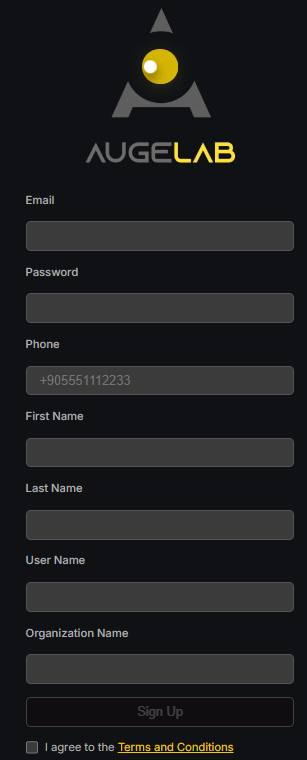
### افتح صفحة التسجيل
انتقل إلى [account.augelab.com](https://account.augelab.com/?p=signup) وافتح قسم Sign Up.
واجهة التسجيل
{% endstep %}
{% step %}
### أنشئ حسابك
املأ جميع الحقول، وافق على الشروط والأحكام، ثم اضغط على **Sign Up**.
{% endstep %}
{% step %}
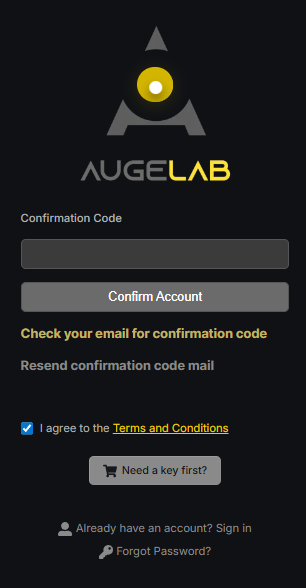
### أكد بريدك الإلكتروني
سيتم إرسال رمز تأكيد إلى عنوان بريدك الإلكتروني. انسخ ذلك الرمز والصقه في نموذج التأكيد.
واجهة التأكيد
{% endstep %}
{% step %}
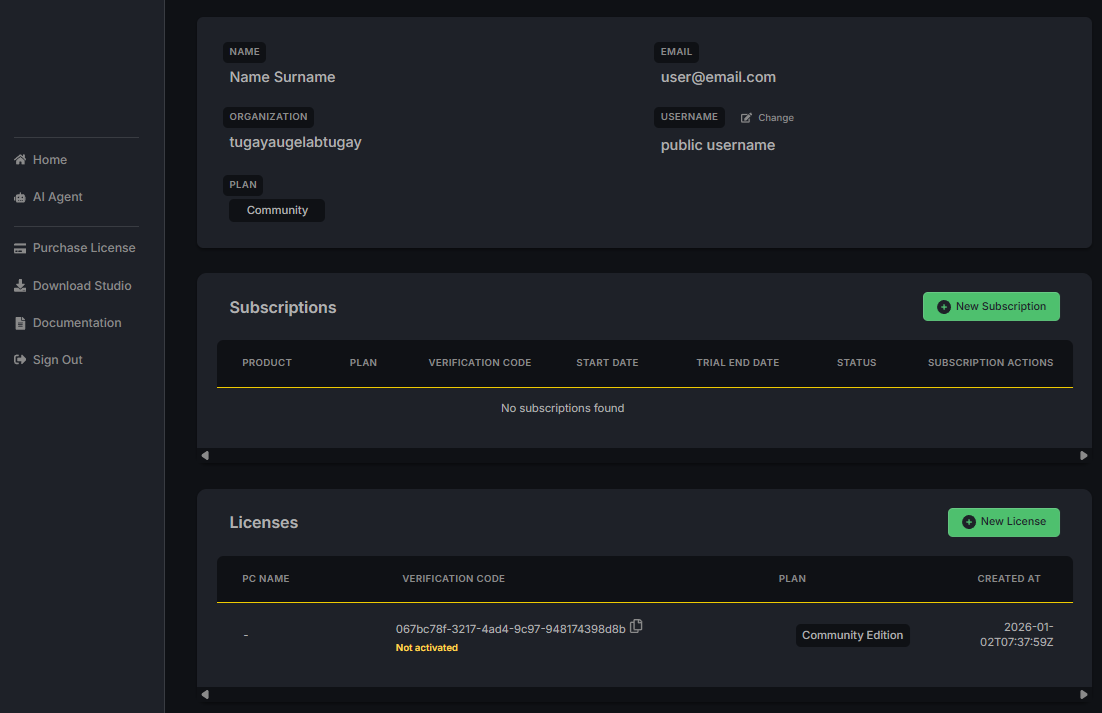
### افتح إدارة الحساب
بعد تأكيد بريدك الإلكتروني، قم بتسجيل الدخول باسم المستخدم وكلمة المرور. ستظهر لك صفحة Account Management.
واجهة إدارة الحساب
{% endstep %}
{% step %}
### احفظ رمز التفعيل الخاص بك
في قسم **Licenses**، اعثر على رمز التفعيل. يتبع الصيغة التالية:
```
xxxxxxx-xxxx-xxxx-xxxx-xxxxxxxx
```
سوف تحتاج هذا الرمز عند تشغيل AugeLab Studio لأول مرة. احفظه في مكان آمن أو انسخه إلى الحافظة.
{% endstep %}
{% step %}
### تنزيل AugeLab Studio
اضغط على لتنزيل مثبت AugeLab Studio.
{% endstep %}
{% endstepper %}
 لتنزيل مثبت AugeLab Studio.
{% endstep %}
{% endstepper %}
لتنزيل مثبت AugeLab Studio.
{% endstep %}
{% endstepper %}