> For the complete documentation index, see [llms.txt](https://docs.augelab.com/llms.txt). Markdown versions of documentation pages are available by appending `.md` to page URLs; this page is available as [Markdown](https://docs.augelab.com/arabic/alblwkat-alwzyfyh/connection.md).
# الاتصالات
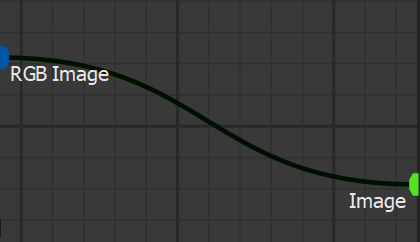

Connections in AugeLab Studio تمثل الاتصالات بين دوال البلوكات:
{% hint style="warning" %}
احذر من إنشاء اتصالات داورية (recursive)، لأنها قد تؤدي إلى فقدان بيانات محتمل وتعطيل سير العمل.
{% endhint %}
يجب عليك دائمًا السعي لربط المنافذ (sockets) التي تعرض أنواعًا متشابهة أو متطابقة.
يمكن التلاعب بالاتصالات في AugeLab Studio باستخدام عدة اختصارات:
## نقل الاتصالات الحالية
مرّر المؤشر فوق منفذ متصل، اضغط مع الاستمرار على مفتاح Ctrl، انقر مع الاستمرار بزر الفأرة الأيسر (Left Mouse) وحرك الاتصالات الحالية إلى المنفذ المطلوب، ثم حرر الأزرار.
## إزالة الاتصالات
يمكنك إزالة الاتصالات باستخدام اختصارات لوحة المفاتيح أو بالنقر مع الضغط على Ctrl+Left Mouse Click وسحب الاتصال لإزالته.