> For the complete documentation index, see [llms.txt](https://docs.augelab.com/llms.txt). Markdown versions of documentation pages are available by appending `.md` to page URLs; this page is available as [Markdown](https://docs.augelab.com/getting-started/signing-up.md).
# Signing up
You need an AugeLab account before you can download AugeLab Studio and get your verification code.
{% stepper %}
{% step %}
### Open the sign-up page
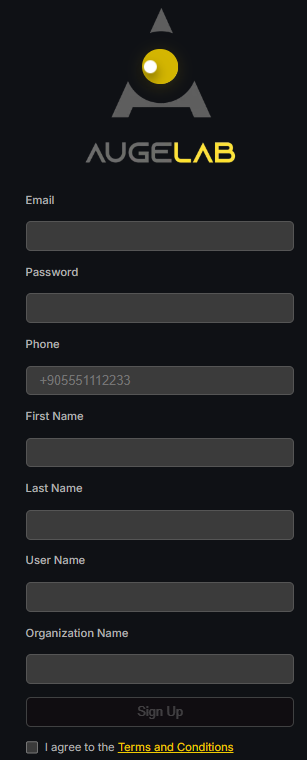
Go to [account.augelab.com](https://account.augelab.com/?p=signup) and open the Sign Up section.
Sign-up interface
{% endstep %}
{% step %}
### Create your account
Fill out all fields, accept the Terms and Conditions, then click **Sign Up**.
{% endstep %}
{% step %}
### Confirm your email
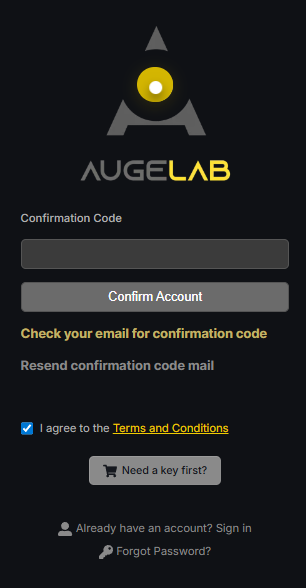
A confirmation code will be sent to your email address. Copy that code into the confirmation form.
Confirmation interface
{% endstep %}
{% step %}
### Open account management
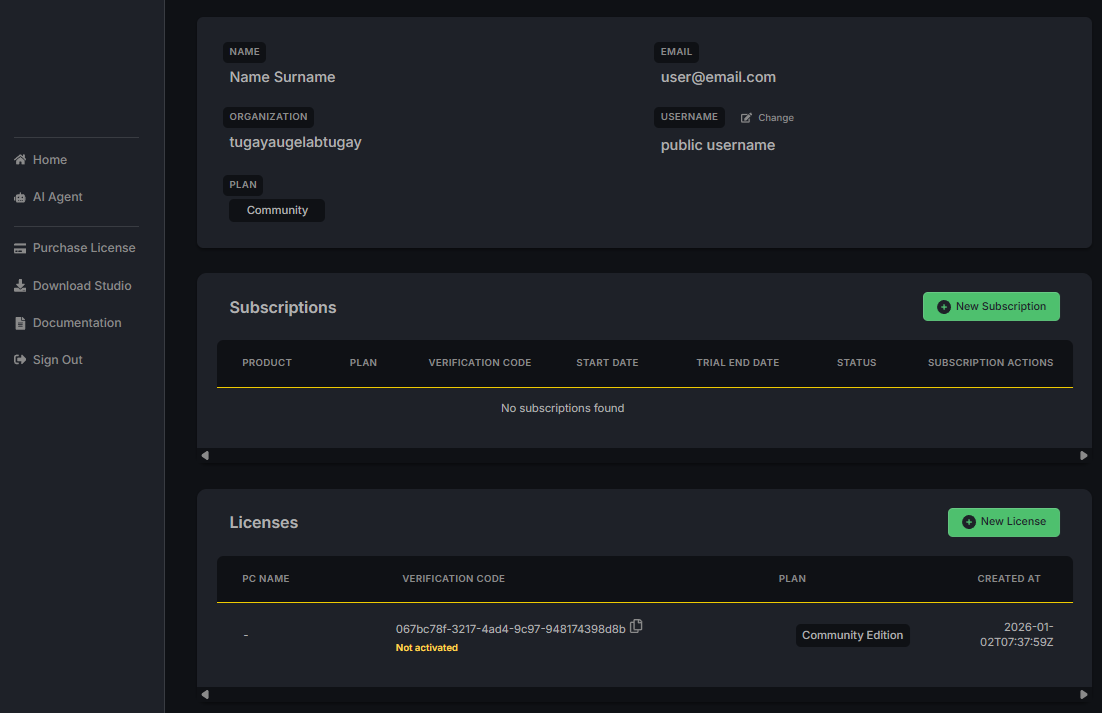
After confirming your email, log in with your username and password. You will see the Account Management page.
Account management interface
{% endstep %}
{% step %}
### Save your verification code
In the **Licenses** section, find your verification code. It uses this format:
```
xxxxxxx-xxxx-xxxx-xxxx-xxxxxxxx
```
You need this code when you start AugeLab Studio for the first time. Save it somewhere safe or copy it to your clipboard.
{% endstep %}
{% step %}
### Download AugeLab Studio
Click to download the AugeLab Studio installer.
{% endstep %}
{% endstepper %}
 to download the AugeLab Studio installer.
{% endstep %}
{% endstepper %}
to download the AugeLab Studio installer.
{% endstep %}
{% endstepper %}