> For the complete documentation index, see [llms.txt](https://docs.augelab.com/llms.txt). Markdown versions of documentation pages are available by appending `.md` to page URLs; this page is available as [Markdown](https://docs.augelab.com/key-features/headless/augelab-web-view.md).
# Web View
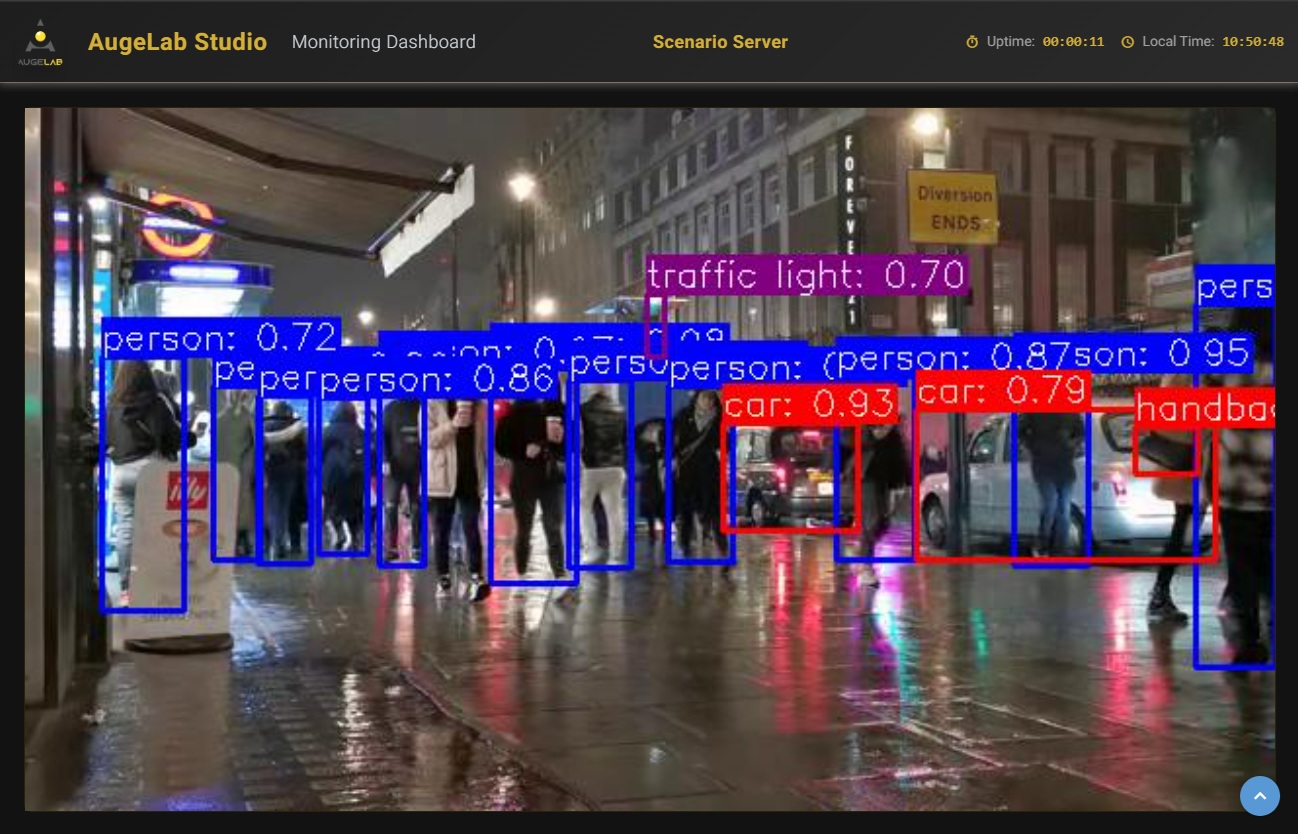
AugeLab Web View is a lightweight monitoring dashboard intended for **headless** runs.
Headless Web View
It shows:
* A live image preview (from your scenario output)
* A rolling log panel (from block/scenario logs)
***
## Start the Web View
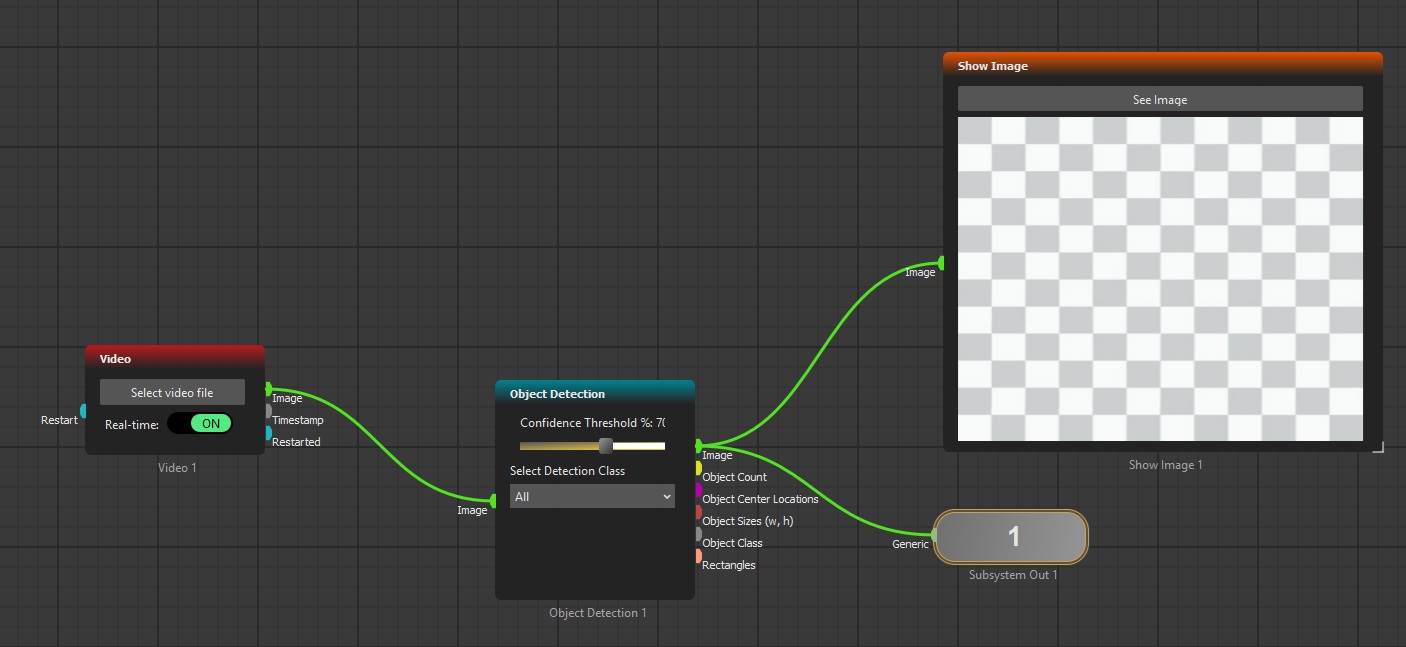
All you need to do when you are using web-view, is to use a `Subsystem Out` block to connect to your final image:
Web View Scenario
Then, write a small python script:
{% code title="headless\_webview\.py" %}
```python
from studio import StudioScenario
scenario = StudioScenario()
scenario.load_scenario(r"PATH_TO_SCENARIO.pmod")
scenario.run_server(
host="127.0.0.1",
port=8080,
header="Scenario Server",
)
```
{% endcode %}
Then open:
* `http://127.0.0.1:8080`
Web View Running
***
## What the dashboard expects from your scenario
### Output image selection
The Web View displays the **first image-like output** produced by the scenario. If your scenario doesn’t output an image, the preview will stay blank.
### Image format
* The preview expects an image output.
* If the array looks like a BGR image (`H x W x 3`), it is channel-swapped to RGB before display.
{% hint style="info" %}
If your scenario’s “first output” is not an image, the dashboard will likely stay blank. In that case, adjust the scenario so the first output group emits an image.
{% endhint %}
***
## Logs
The dashboard shows recent runtime logs.
***
## Operational notes / limitations
* The scenario is executed in an infinite loop in a background thread.
* Stop the server with Ctrl+C.