> For the complete documentation index, see [llms.txt](https://docs.augelab.com/llms.txt). Markdown versions of documentation pages are available by appending `.md` to page URLs; this page is available as [Markdown](https://docs.augelab.com/spanish/primeros-pasos/signing-up.md).
# Registro
Necesitas una cuenta de AugeLab antes de poder descargar AugeLab Studio y obtener tu código de verificación.
{% stepper %}
{% step %}
### Abrir la página de registro
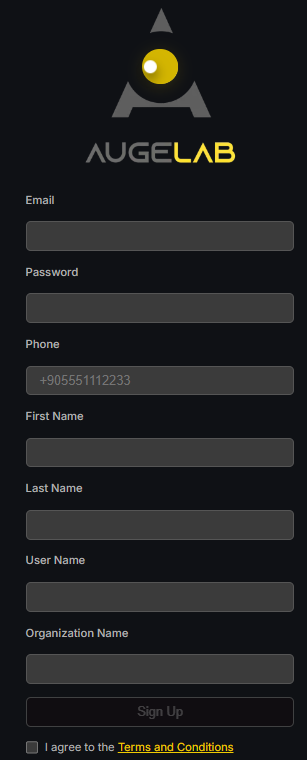
Ve a [account.augelab.com](https://account.augelab.com/?p=signup) y abre la sección Sign Up.
Interfaz de registro
{% endstep %}
{% step %}
### Crear tu cuenta
Rellena todos los campos, acepta los Terms and Conditions, y luego haz clic en **Sign Up**.
{% endstep %}
{% step %}
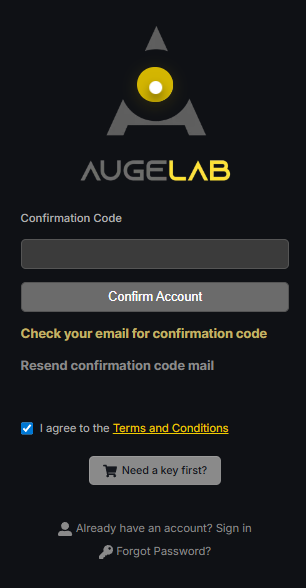
### Confirmar tu correo electrónico
Se enviará un código de confirmación a tu dirección de correo. Copia ese código en el formulario de confirmación.
Interfaz de confirmación
{% endstep %}
{% step %}
### Abrir la gestión de la cuenta
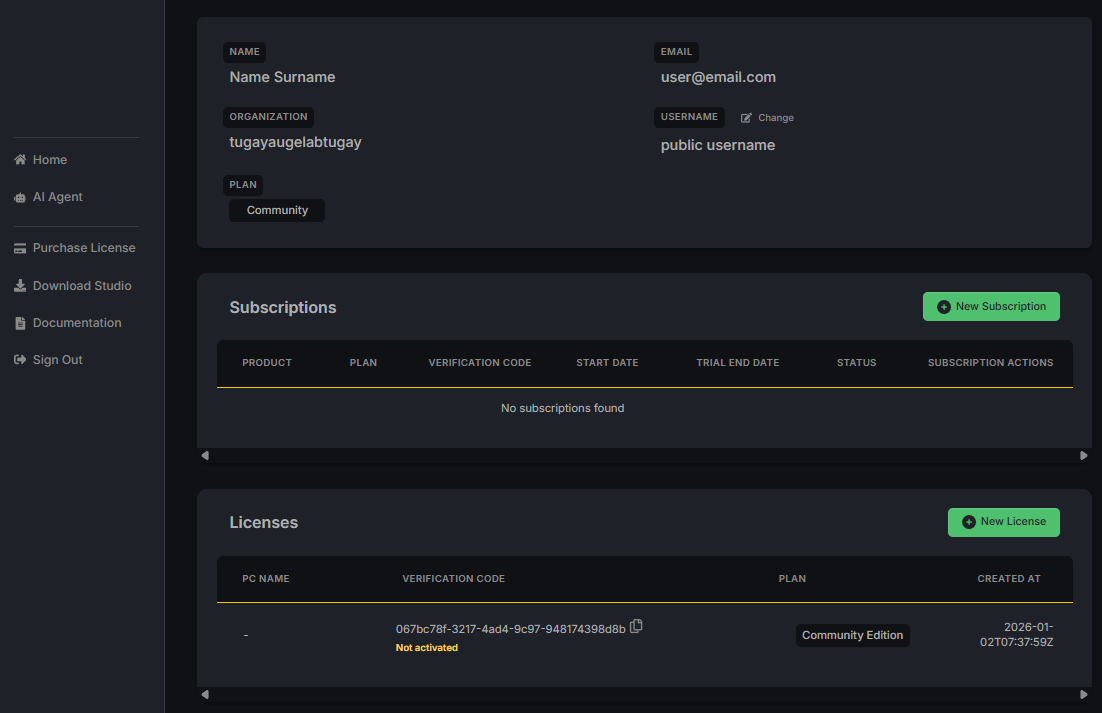
Después de confirmar tu correo, inicia sesión con tu nombre de usuario y contraseña. Verás la página de Account Management.
Interfaz de gestión de cuenta
{% endstep %}
{% step %}
### Guardar tu código de verificación
En la sección **Licenses**, encontrarás tu código de verificación. Tiene este formato:
```
xxxxxxx-xxxx-xxxx-xxxx-xxxxxxxx
```
Necesitarás este código la primera vez que inicies AugeLab Studio. Guárdalo en un lugar seguro o cópialo al portapapeles.
{% endstep %}
{% step %}
### Descargar AugeLab Studio
Haz clic en para descargar el instalador de AugeLab Studio.
{% endstep %}
{% endstepper %}
 para descargar el instalador de AugeLab Studio.
{% endstep %}
{% endstepper %}
para descargar el instalador de AugeLab Studio.
{% endstep %}
{% endstepper %}