> For the complete documentation index, see [llms.txt](https://docs.augelab.com/llms.txt). Markdown versions of documentation pages are available by appending `.md` to page URLs; this page is available as [Markdown](https://docs.augelab.com/turkish/baslarken/signing-up.md).
# Kaydolma
AugeLab Studio'yu indirip doğrulama kodunuzu alabilmek için bir AugeLab hesabınızın olması gerekir.
{% stepper %}
{% step %}
### Kayıt sayfasını açın
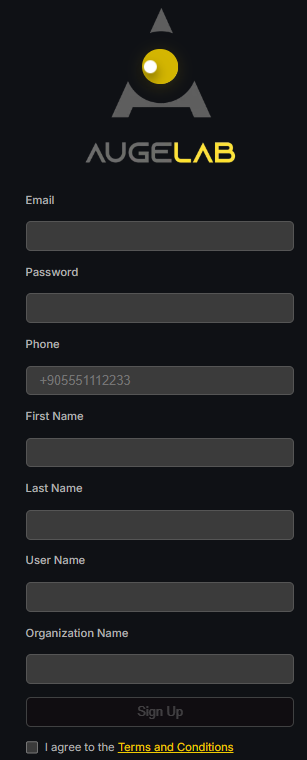
[account.augelab.com](https://account.augelab.com/?p=signup) adresine gidin ve Sign Up bölümünü açın.
Kayıt arayüzü
{% endstep %}
{% step %}
### Hesabınızı oluşturun
Tüm alanları doldurun, Terms and Conditions'i kabul edin ve ardından **Sign Up** düğmesine tıklayın.
{% endstep %}
{% step %}
### E-postanızı doğrulayın
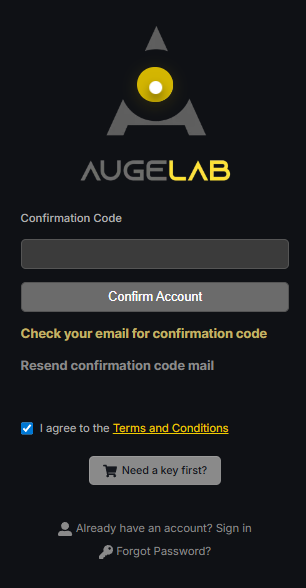
E-posta adresinize bir doğrulama kodu gönderilecektir. Bu kodu onay formuna yapıştırın.
Doğrulama arayüzü
{% endstep %}
{% step %}
### Hesap yönetimini açın
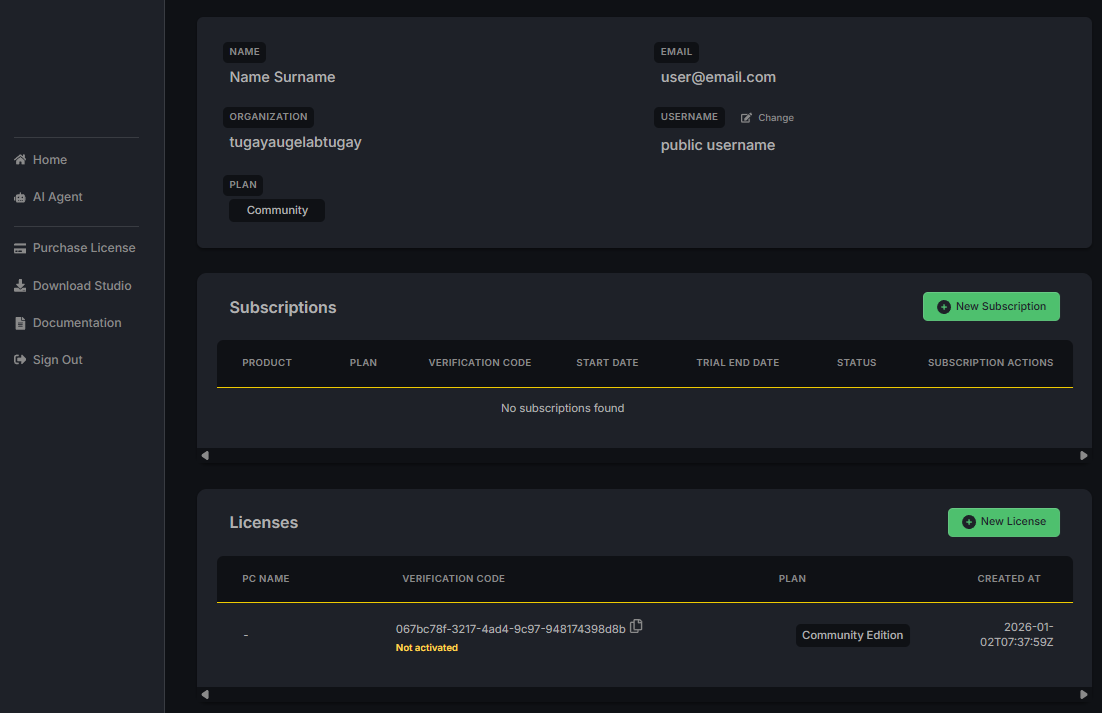
E-postanızı doğruladıktan sonra kullanıcı adı ve parolanızla giriş yapın. Hesap Yönetimi (Account Management) sayfasını göreceksiniz.
Hesap yönetimi arayüzü
{% endstep %}
{% step %}
### Doğrulama kodunuzu kaydedin
**Licenses** bölümünde doğrulama kodunuzu bulun. Kod şu formatı kullanır:
```
xxxxxxx-xxxx-xxxx-xxxx-xxxxxxxx
```
AugeLab Studio'yu ilk kez başlatırken bu koda ihtiyaç duyacaksınız. Kodu güvenli bir yere kaydedin veya panonuza kopyalayın.
{% endstep %}
{% step %}
### AugeLab Studio'yu indirin
İndiriciye ulaşmak için yukarıdaki simgeye tıklayın ve AugeLab Studio yükleyicisini indirin.
{% endstep %}
{% endstepper %}