> For the complete documentation index, see [llms.txt](https://docs.augelab.com/llms.txt). Markdown versions of documentation pages are available by appending `.md` to page URLs; this page is available as [Markdown](https://docs.augelab.com/turkish/fonksiyon-bloklari/block-structures.md).
# Blok Yapıları
Bir fonksiyon bloğu birkaç öğeden oluşur:
1. Header
2. Sockets
3. Controls
4. Unique Name
## Header
Header'lar çift tıklanarak değiştirilebilir ve özel bir isim verilebilir.
## Tool Tips
Fare ile blokların üzerine gelindiğinde tool-tip'ler gösterilir ve bloğun iç işleyişi hakkında bilgi verir.
Aynı kurallar Controls için de geçerlidir. `Controls` üzerine geldiğinizde ek bilgiler gösterilebilir:
## Controls
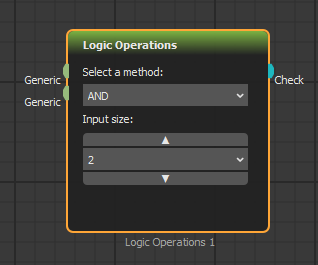
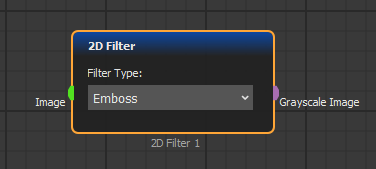
Controls, bir fonksiyon bloğu içinde gösterilen özel butonlar, listeler veya etkileşimli herhangi bir öğedir. Bu widget'lar her fonksiyon bloğunun işlevselliğini değiştirebilir.
Aynı iki blok, farklı widget yapılandırmaları
## Inputs Sockets
Veri, input socket'ler aracılığıyla bloklara gönderilir. Tek bir blokta genellikle birden fazla socket bulunur.
Aynı renk veya kategoriye ait socket'ler bağlandığında güvenilir veri transferi sağlanır.
## Output Sockets
Sonuçlar, output'lardan gönderilir ve başka bloklara input socket'ler aracılığıyla aktarılır.
.png?alt=media)
.png?alt=media)
.png?alt=media)
.png?alt=media)
.png?alt=media)