> For the complete documentation index, see [llms.txt](https://docs.augelab.com/llms.txt). Markdown versions of documentation pages are available by appending `.md` to page URLs; this page is available as [Markdown](https://docs.augelab.com/example-projects/object-counting.md).
# Object Counting
Counting objects is a widely encountered problem in the computer vision field. This tutorial will teach you how to count circular objects in a given area using conventional computer vision algorithms.
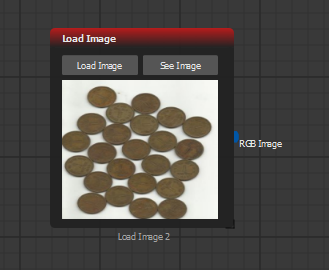
The example image is already provided in AugeLab Studio in the example images folder as **coins2.jpg** file.
Create [Load Image](/function-blocks/blocks-reference/input-output/image-inputs/load-image.md) block in an empty scenario with the example image shown below:
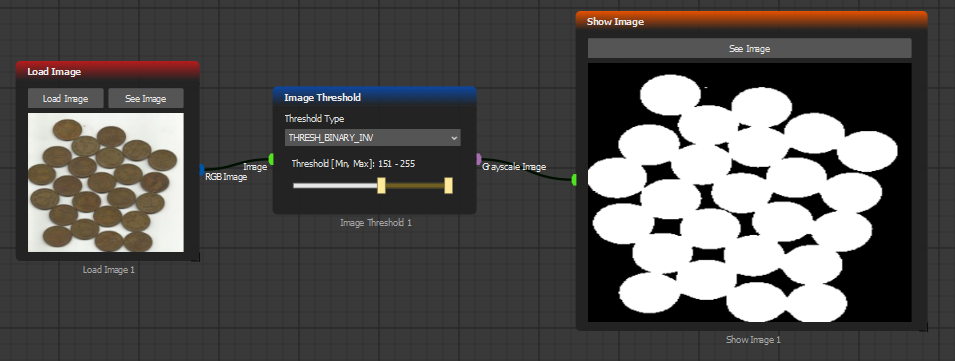
As a first step, we'll need to separate the coins from the background using the [Image Threshold](/function-blocks/blocks-reference/image-transformations/color-filters/image-threshold.md) block. This can also be done with [HSV Filter](/function-blocks/blocks-reference/image-transformations/color-filters/hsv-filter.md) or [RGB Mask](/function-blocks/blocks-reference/image-transformations/color-filters/rgb-mask.md) but separating the color areas and acquiring a binary image will suffice. Create the logic below:
Since we'll be using the [Find Contour](/function-blocks/blocks-reference/detections-shapes/shape-analysis/find-contour.md) block to count how many distinct white area exist, we'll be selecting **THRESH\_BINARY\_INV** option to filter the image and adjust the slider to filter the background.
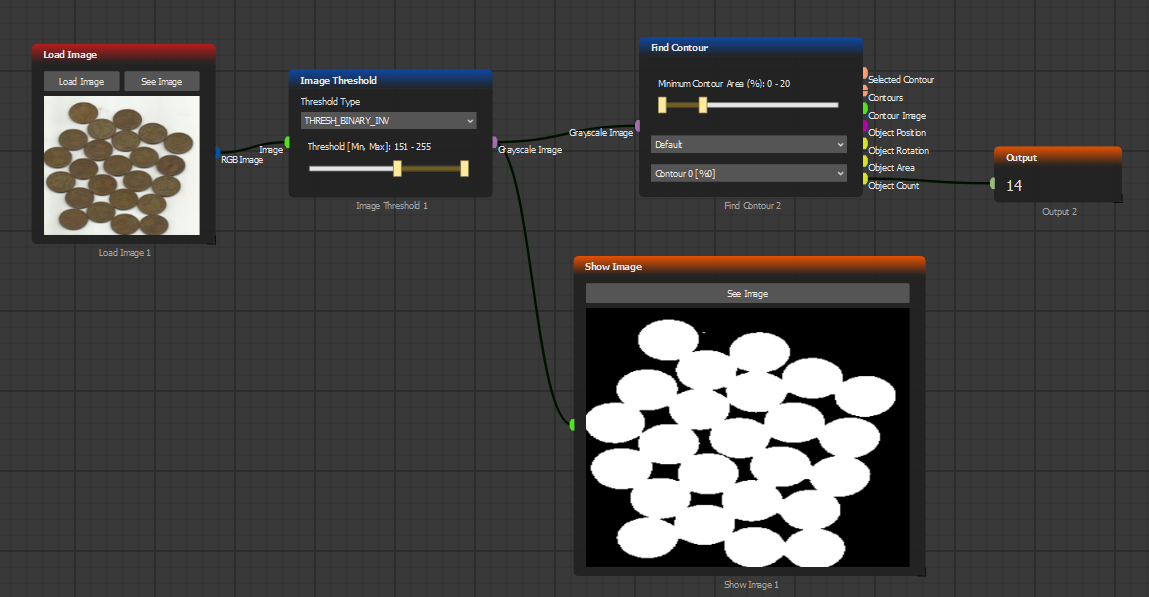
However, you may see that white areas are not separated from each other perfectly. Using the Find Contour block would yield the wrong result:
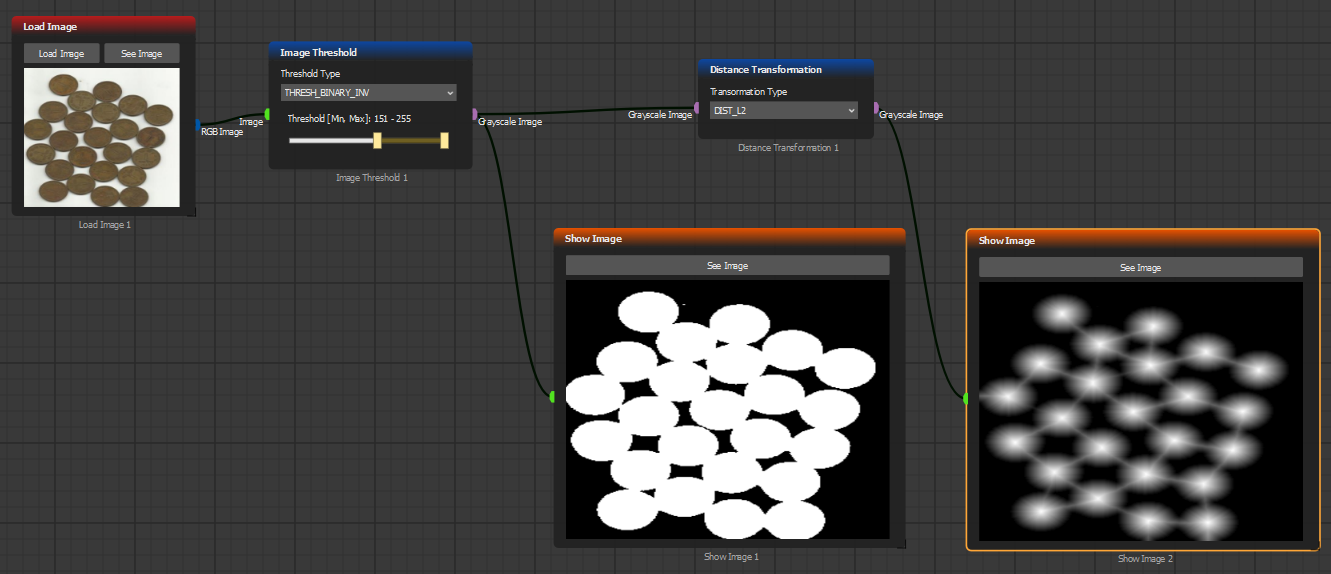
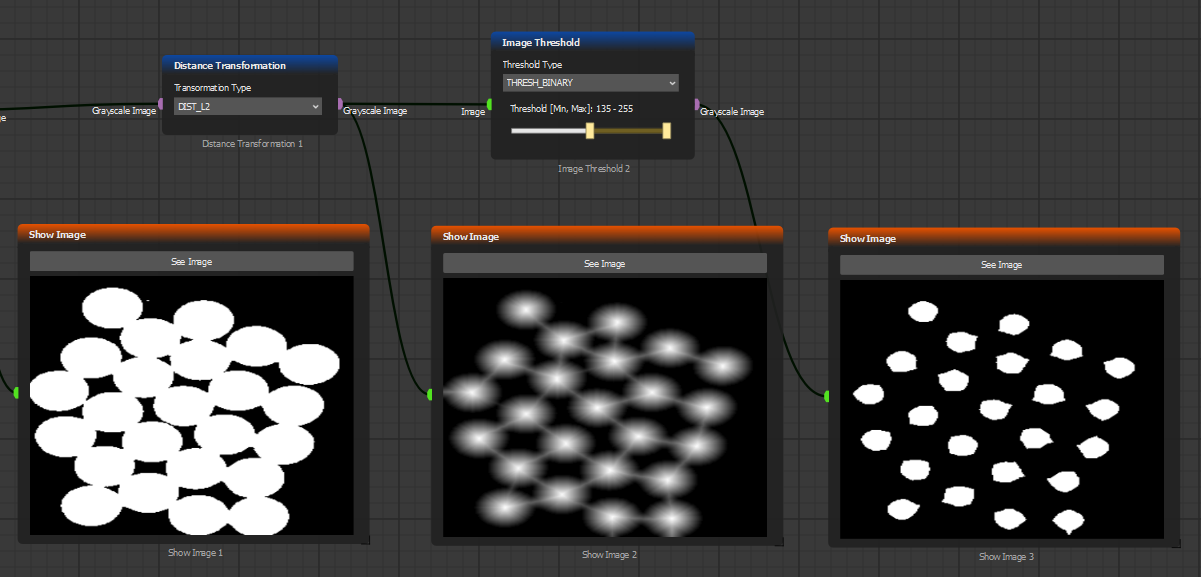
As you see, there aren't 14 block coins in the provided image. We'll need an algorithm to separate or shrink the white areas. For this, we'll be using the [Distance Transformation](/function-blocks/blocks-reference/image-transformations/transformation-filters/distance-transformation.md) block:
Distance transformation calculates how far away each pixel from white color density. Using [Image Threshold](/function-blocks/blocks-reference/image-transformations/color-filters/image-threshold.md) again will yield distinct white areas for each one:
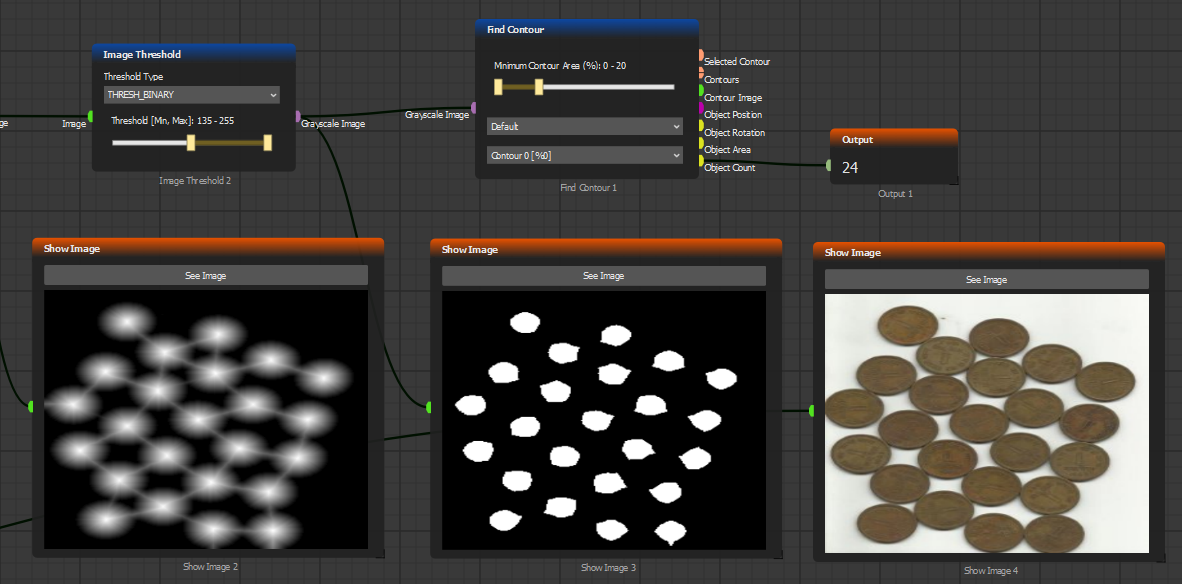
Now, using the find contour block should yield how many coins we have the in reference image:
That's it! You now know how to count each object in a given area with AugeLab Studio!