> For the complete documentation index, see [llms.txt](https://docs.augelab.com/llms.txt). Markdown versions of documentation pages are available by appending `.md` to page URLs; this page is available as [Markdown](https://docs.augelab.com/example-projects/object-detection.md).
# Object Detection
{% hint style="info" %}
You'll need to install AI modules and have a computer with GPU to complete this tutorial. Please refer to the [installation guide](/augelab-studio-interface/external-features/module-downloader.md#installing-the-ai-bundle) for further instructions.
{% endhint %}
Object detection has been a very hot topic in both computer vision and public media. This practice is widely applied to many different industries and has many more potential application areas.
This tutorial will show you how to create a simple collision warning system on a public bus.
### Footage
As for any scenario, we'll need front-side footage of a public bus. Go ahead and download the dash-cam video:
{% file src="/files/G88Zi6gerTPJ07eRUden" %}
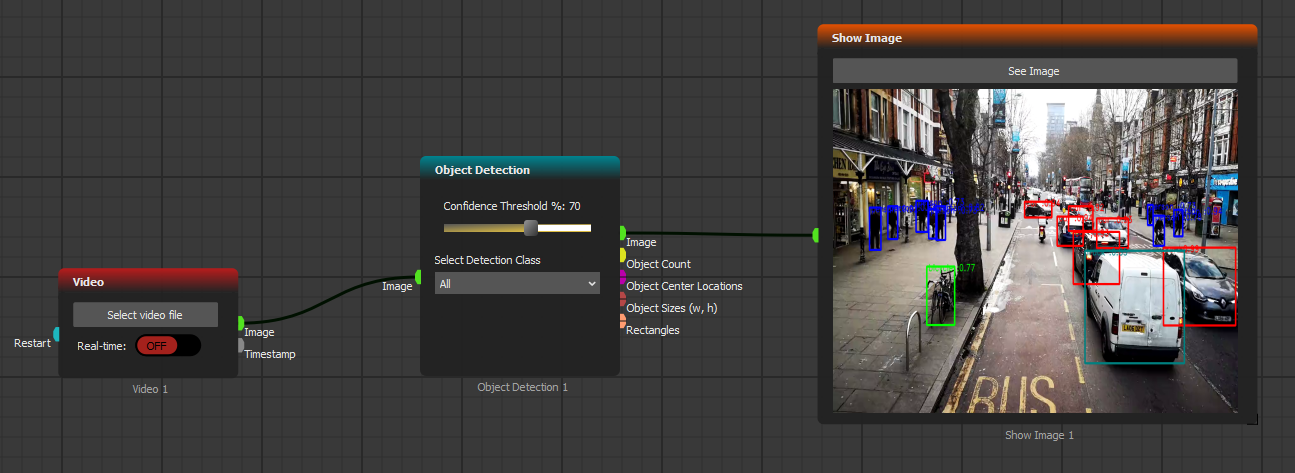
Using [Video](/function-blocks/blocks-reference/input-output/image-inputs/video.md) block, we'll be reading the dash cam results. We'll also need [Object Detection](/function-blocks/blocks-reference/ai-blocks/object-detection.md) block to detect any human, bike or cars that we might come in contact with.
Go ahead and create the scenario below:
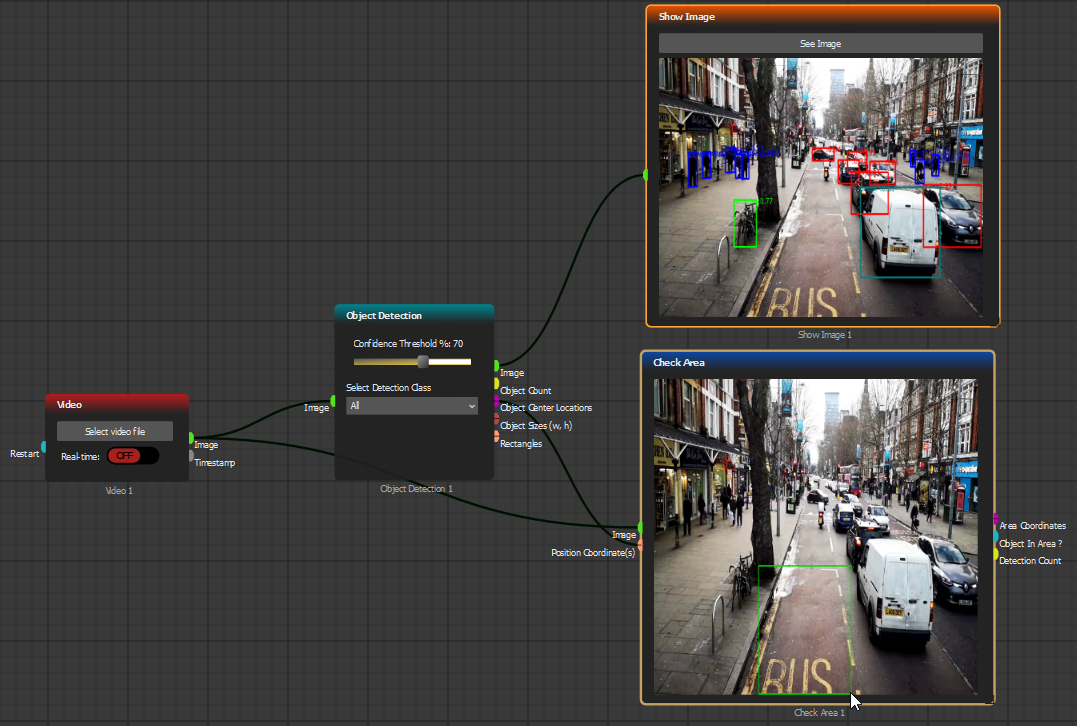
Since our collision detection system should only check if there is an object standing in front of our bus, we'll have to use the [Check Area](/function-blocks/blocks-reference/detections-shapes/roi-processing/check-area.md) block and select the collision warning area:
[Check Area](/function-blocks/blocks-reference/detections-shapes/roi-processing/check-area.md) block will allow us to assess if there are any objects in our reference bounding box area. Use [Not](/function-blocks/blocks-reference/data-logic/logic/not.md) and [Led Output](/function-blocks/blocks-reference/input-output/outputs-exports/led-output.md) blocks to indicate if our collision system works as expected or not: