> For the complete documentation index, see [llms.txt](https://docs.augelab.com/llms.txt). Markdown versions of documentation pages are available by appending `.md` to page URLs; this page is available as [Markdown](https://docs.augelab.com/function-blocks/sockets.md).
# Sockets
## Socket Colors and Types
AugeLab Studio provides different colors in sockets to indicate what kind of data is transferred through a socket. These colors show which class or data type the input/output belongs to. Read the descriptions below to learn which colors are associated with which data types.
{% hint style="info" %}
For more additional information on socket data types, refer to [Coding Reference](/key-features/create-plugins-with-designer-window/coding-reference.md).
{% endhint %}
### Light Green (Any Image) Light Green (Any Image)
This socket color corresponds to a mixed image data type and only image data should be connected.
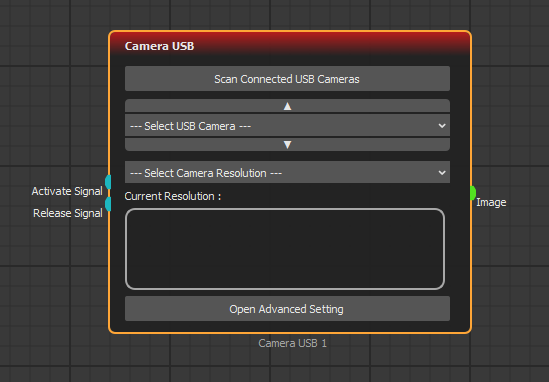
**Camera USB** block below has one green output socket and outputs a colored image it received from the camera.
{% hint style="info" %}
Light Green sockets output BGR and GRAY format data.
{% endhint %}
Purple (Gray Image)
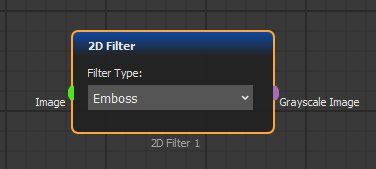
Purple sockets correspond to grayscale image type. Color image data cannot be connected to this socket.
{% hint style="info" %}
Purple sockets output grayscale, single-channel image data. This data type may not be used by Light Green sockets. To convert it, use [**Color Space**](/function-blocks/blocks-reference/image-transformations/transformation-filters/color-space.md) function block.
{% endhint %}
Blue (Colored Image)
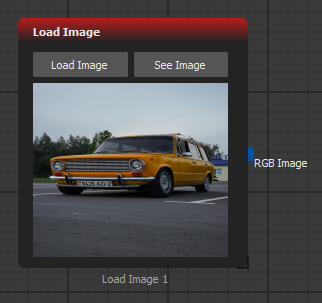
Blue-colored sockets correspond to colored image data types. These guarantee a colored image output, unlike [Light Green](#light-green) sockets.
{% hint style="info" %}
Colored Image consists of 3 different arrays, Blue-Green-Red. These also can be split with [Split ](/function-blocks/blocks-reference/image-transformations/operations/split-image.md)[Image](/function-blocks/blocks-reference/image-transformations/operations/split-image.md) block.
{% endhint %}
Light Blue (Boolean)
Lift Blue colored sockets correspond to logic data types, which are either **True** or **False**.
For example, the camera block above has blue input sockets and only takes True or False values.
{% hint style="info" %}
Logic expressions consist of only two states; **True** and **False**.
{% endhint %}
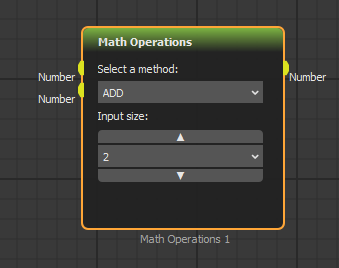
Yellow (Number)
Yellow sockets correspond to integer data type. The following function block has yellow sockets and takes only integer values.
{% hint style="info" %}
Integer basically means whole numbers.
{% endhint %}
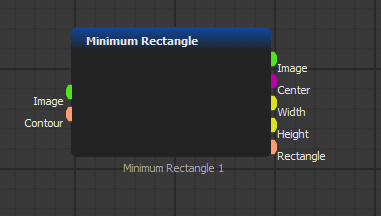
### Purple (Position) Purple (Position)
Pink sockets output as position/point data type. For example ((x1,y1),(x2,y2)) you can get the position of any object.
{% hint style="info" %}
Point data type consists of two numbers, first is the horizontal position and the second is the vertical position.
{% endhint %}
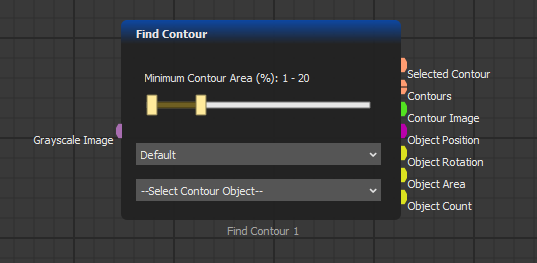
Orange (Shape)
Orange sockets correspond to the shape data type.
{% hint style="info" %}
Shape data type consists of multiple points, which also consist of two numbers representing where they reside in two-dimensional space.
{% endhint %}
Dark Green (Undefined)
Green sockets are sockets corresponding to undefined data types. These color sockets can contain any variant type and can be connected with other sockets.
{% hint style="warning" %}
Be careful when working with green type sockets and make sure data flow is safe.
{% endhint %}
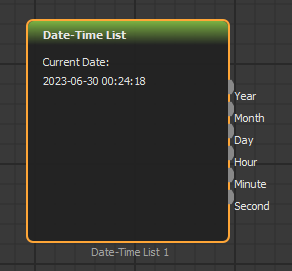
Gray (Text)
The gray sockets correspond to the text data type.
{% hint style="info" %}
Texts are strings and can be modified to represent results.
{% endhint %}
.png?alt=media)